


Microsoft Excel Power Query Course

£895 for up to 10 delegates
£895 for up to 10 delegates, plus trainer expenses
The Microsoft Excel Power Query course is particularly useful for Excel users who regularly spend time importing, cleaning, restructuring or combining data before it can be analysed.
Power Query allows these transformation steps to be recorded as a repeatable process. Instead of manually carrying out the same sequence of changes whenever new data becomes available, users can refresh the query and allow Excel to repeat the transformations automatically.
What can Power Query be used for?
Typical applications include importing data from external files, combining multiple files or tables, removing unwanted information, changing data types, splitting or merging columns, restructuring datasets and preparing information for PivotTables, charts or other analysis.
This makes Power Query especially valuable for people who regularly produce reports or work with data supplied by different systems, departments or sources.
The course is designed for experienced Excel users and provides a practical introduction to building repeatable data-preparation processes without requiring VBA programming.
Not sure which Excel course is right for you?
Take our free Excel Skills Assessment and receive an instant recommendation based on your current Excel knowledge and experience.
Need a quick explanation of an Excel term? Browse our free Excel Glossary.

Course Schedule
Half day
.svg)
1:30pm - 4:30pm (UK Time)
.svg)
Online Live
£150 + VAT
Half day
1:30pm - 4:30pm (UK Time)
Online Live
£150 + VAT
Course Code: EXCELPQ
Duration: half day
Course Aims
This course aims to provide delegates with a comprehensive introduction to the ‘Get and Transform’ features of Microsoft Excel. Delegates will learn how to import data from a wide range of sources into an Excel workbook, efficiently clean and edit data within the Power Query Editor—such as removing columns, changing data types, and merging tables. By the end of the course, delegates will be able to load queries into Excel to create meaningful charts and reports that support data analysis and decision-making.
Course Prerequisites
Delegates should have a solid understanding of Microsoft Excel, including proficiency in using formulas and functions, sorting and filtering data, and converting lists into Excel tables.
Course Objectives
On completion of this course, delegates will be able to:
- Understand the Power Query Interface
- Importing Data and Connecting from various sources
- Transform and Combine (merge) the data in Power Query
- Add calculated columns
- Load the data into Excel
- Using the query data to perform reports
Course Content
Introduction and Objectives
Introduction to Power Query
- What is Power Query?
- Overview of the Power Query Editor (Interface)
- The four phases (Connect, Transform, Combine and Load)
- Basic concepts
- What are Applied steps?
Connecting to data sources
- Importing data (e.g., CSV/Text, Excel)
- Power Query interface
- Refreshing query
Load and use Data Query
- Load the data into Excel worksheet
- Creating a Connection only
- Create a Pivot Table
- Refreshing the query
Transforming and combining the data
- Combining data tables (Merge and Append)
- Column operations (e.g., Rename, Move, Delete, Duplicate)
- Row operations (e.g., Deleting blank and unnecessary rows)
- Filtering, sorting, splitting, replacing values, changing data types, remove blank rows, changing case
- Remove and replace first row
- Transposing and Unpivoting Data
- Add a calculated column
- Using the group by (Basic/Advanced)
- Fill up/down feature (show PQE Script)
Hints and Tips
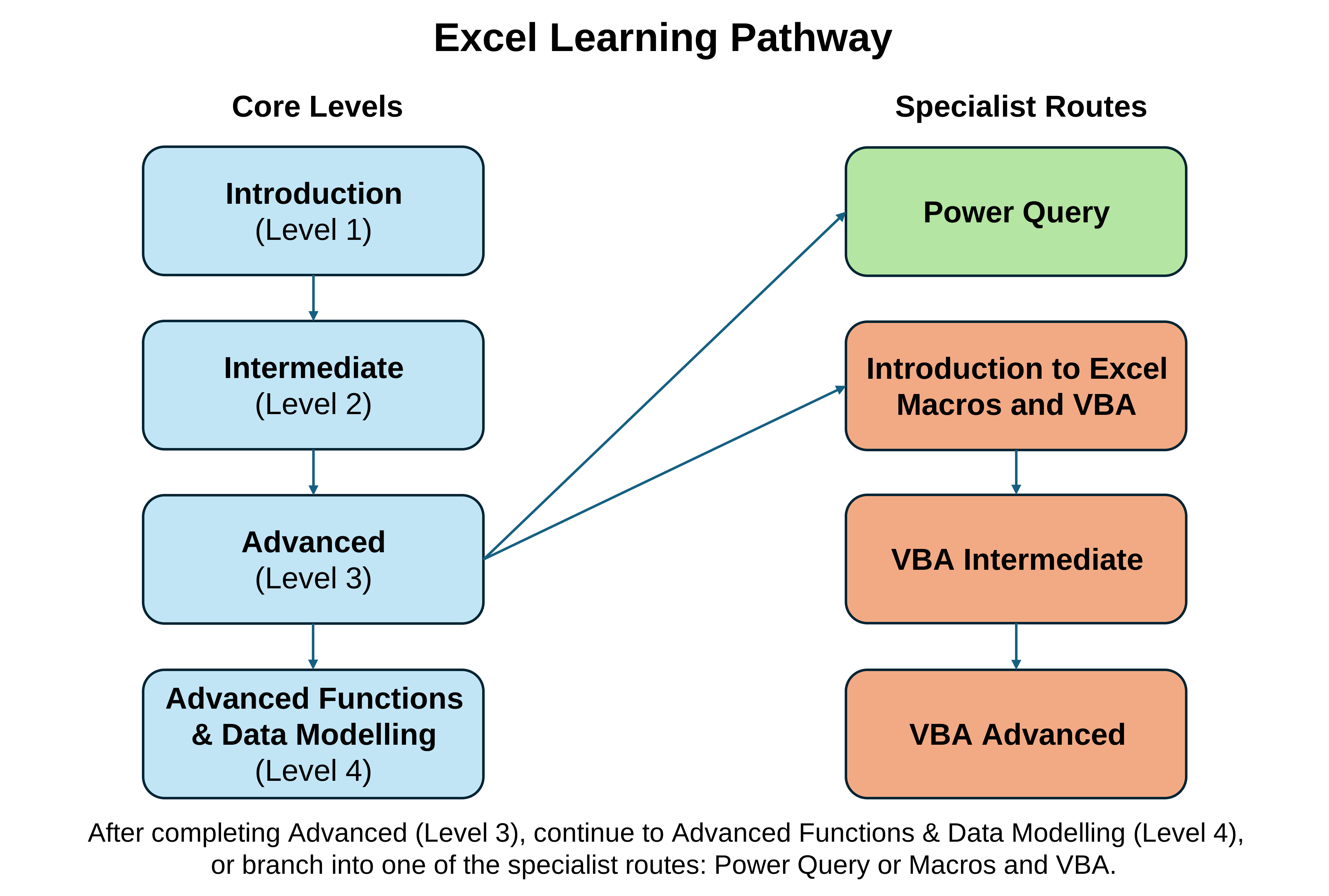
Next Steps
Client Testimonials
“It certainly did, and was very well tailored to the abilities of the audience.”
“All stated course objectives were covered and explained well.”
“A very informative course. The content will be very useful in my day-to-day job.”
More Excel training: Compare all levels and specialist topics in our Excel training hub.
Course at a Glance
£895 for up to 10 delegates
£895 for up to 10 delegates, plus trainer expenses
Half day
1:30pm - 4:30pm (UK Time)
Online Live
£150 + VAT
Half day
1:30pm - 4:30pm (UK Time)
Online Live
£150 + VAT
You may also like...


Learn to use Microsoft Planner to create plans, organise and assign tasks, track progress and collaborate effectively with colleagues.
Learn Excel Power Query to import, clean, transform, merge and reshape data, then load repeatable queries for reporting and analysis.

Master advanced Excel functions, XLOOKUP, dynamic arrays, What-If Analysis, PivotTables and Power Pivot for more powerful reporting and data modelling.


.png)
